Off-the-Shelf SaaS vs. Custom Software
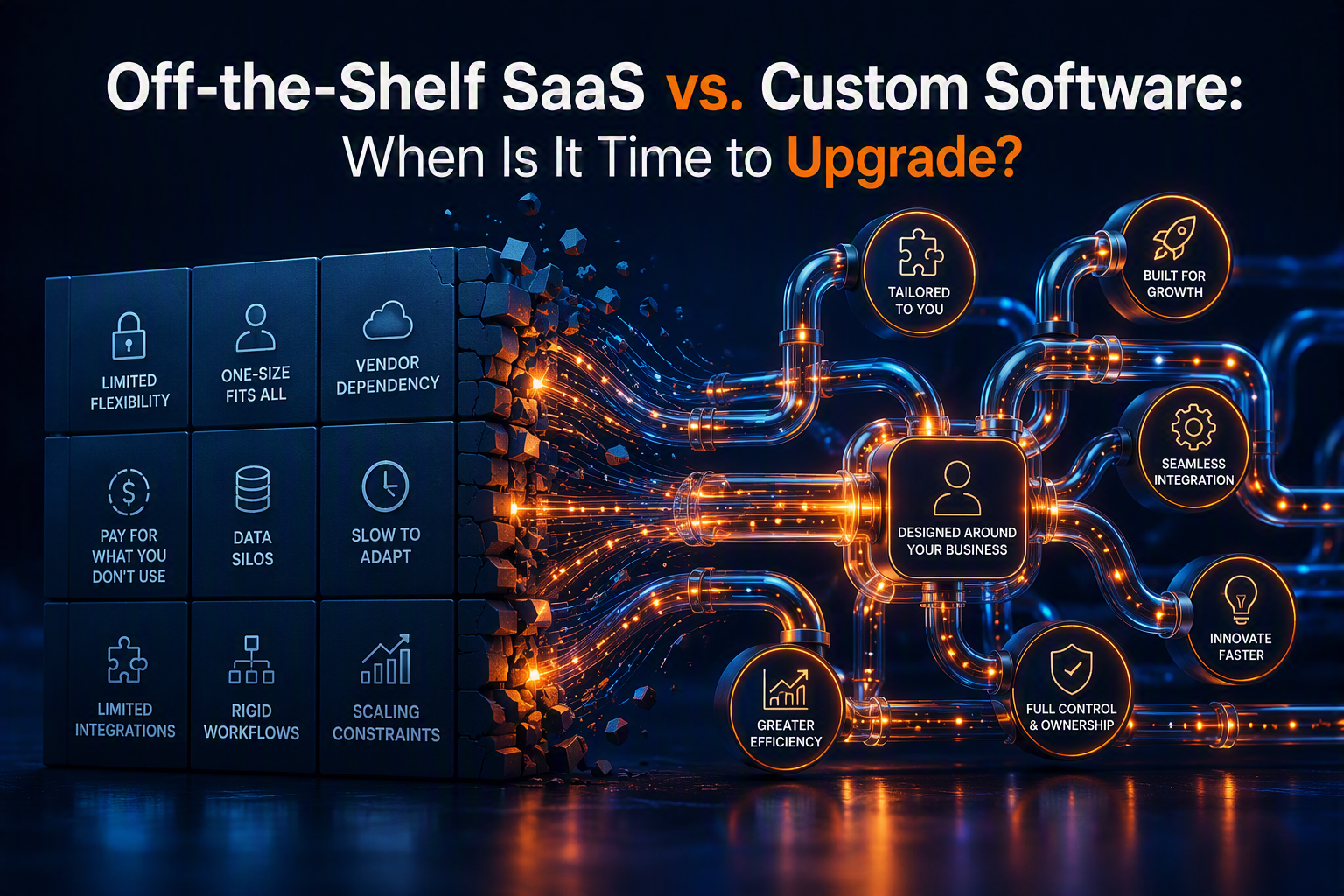
Stop Bending Your Business to Fit Your Software
Every modern business starts by patching together off-the-shelf SaaS (Software as a Service) products. It is fast, accessible, and gets the job done early on. But as your company scales, you inevitably hit the "SaaS Ceiling." Suddenly, you have a bloated tech stack, disconnected data silos, and a team spending hours doing manual data entry just to make two apps talk to each other.
This guide breaks down exactly when it’s time to stop renting generic tools and start engineering custom software that builds equity, eliminates bottlenecks, and scales infinitely with zero per-seat licensing fees.
📍 What Is the SaaS Ceiling?
The SaaS ceiling is the point where the cost, limitations, and friction of your off-the-shelf software begin actively hindering your company's growth. Instead of the software supporting your unique workflows, your team is forced to change how they work just to accommodate the software.
Why It Matters:
- 80% of businesses admit they use SaaS tools where they only need 10% of the actual features.
- "Per-user" pricing models severely punish growing teams, turning software from a tool into a massive monthly liability.
- Custom software is an owned asset that increases the valuation of your business, whereas SaaS is just an endless operational expense.
🧠 Understand the Hidden Costs of SaaS
The true cost of off-the-shelf software isn't just the monthly subscription fee. It’s the friction it introduces into your ecosystem.
Key Bottlenecks:
- The "Duct-Tape" Stack: Relying on fragile third-party connections to sync data between 5 different apps.
- Vendor Lock-In: Having your critical business data held hostage by a third-party provider's closed ecosystem.
- Feature Bloat: Confusing interfaces packed with features your team never uses, leading to costly training and poor adoption.
🗺️ Audit Your Current Tech Stack
How do you know it is time to build custom? It starts by looking at your current infrastructure.
Signs You Need Custom Software:
- You are managing critical business operations in massive, fragile Excel or Google Sheets.
- Your monthly SaaS subscription costs exceed the cost of financing a custom build.
- You have a unique service delivery model that no generic software accommodates.
- Your team spends more than 5 hours a week manually moving data from one screen to another.
Contact for a Business assessmentPro Tip: Do a "Seat License Audit" today. Multiply your SaaS costs by your projected headcount in 24 months. If that number makes you wince, it is time to engineer your own system.
📝 Engineer Workflows That Match Your Reality
Generic SaaS is built for the "average" company. But high-performing companies aren't average.
The Custom Advantage: When you build custom software, the application is mapped exactly to your operational blueprint. If your onboarding process has 7 highly specific steps, your software will have exactly 7 steps. Nothing more, nothing less. This eliminates confusion, speeds up onboarding, and forces best practices across your entire organization.
🌐 Ensure Data Ownership and Security
In the modern B2B landscape, data is your most valuable asset. When you rely entirely on third-party SaaS, you don't truly own your data structure. By transitioning to a custom backend (like a dedicated Supabase database), you gain absolute control. You define the security protocols, you own the backups, and you can instantly query any data point without being restricted by a vendor's limited reporting dashboard.
⭐ Replace "Integrations" with Native Ecosystems
Instead of paying for a CRM, an invoicing tool, a project manager, and a client portal—and praying they sync correctly—custom software unifies everything.
The Power of Unification:
- A client signs a contract.
- The system automatically generates the project workspace.
- It dynamically creates the first invoice.
- It alerts the exact engineering team required.
- All in one unified database with zero latency and zero broken connections.
🔗 Scale Without Seat Licenses
The ultimate ROI of custom software is financial scalability. If you use a premium SaaS tool that costs $150/user/month, adding 20 new employees increases your overhead by $36,000 a year—forever. With custom software, adding your 10th, 100th, or 1,000th employee costs absolutely nothing in software licensing.
📱 Build for Your Exact Mobile Needs
Many legacy SaaS platforms have terrible mobile apps. If you have field workers, sales reps on the road, or executives who need real-time data on their phones, a custom-built Progressive Web App (PWA) ensures they have exactly the tools they need, optimized for the devices they actually use.
📊 Track Your True Automation ROI
When transitioning to custom software, the ROI is measured in time saved and errors prevented.
Metrics to Watch:
- Reduction in monthly software subscription fees.
- Hours saved per week on manual data entry.
- Decrease in client onboarding time.
- System uptime and reduced latency in data syncing.
🧩 Advanced Custom Infrastructure Strategies
Ready to level up? This is how modern Growth Engineering firms build:
- Headless Architecture: Decoupling the frontend (Next.js) from the backend, allowing you to deploy lightning-fast interfaces on any device.
- Microservices: Building small, dedicated automation scripts that handle specific tasks (like PDF generation or email parsing) rather than bloated monoliths.
- AI Integration: Building your own proprietary AI tools securely into your software using API endpoints, rather than relying on public interfaces.
💡 Final Thoughts
Off-the-shelf SaaS is great for getting off the ground, but custom software is how industry leaders dominate their space. It transforms your tech stack from an unavoidable monthly expense into an owned, scalable asset that perfectly mirrors your business model.
🚀 Talk to a Growth Engineer Today Post #3: The Executive Dashboard Markdown Stop Running Your Business in the Rearview Mirror
If your executive team relies on end-of-the-month spreadsheets to make critical business decisions, you are flying blind. By the time the data is manually exported, cleaned, and presented, it is already obsolete. In high-stakes B2B environments, relying on fragmented data scattered across marketing platforms, CRMs, and financial software creates hesitation, conflicting reports, and missed opportunities.
This guide breaks down how Growth Engineering replaces the "spreadsheet scramble" with automated, real-time data pipelines—giving the C-Suite instant, centralized clarity over the entire organization's performance.
📍 What Is a Custom Executive Dashboard?
An Executive Dashboard is a centralized, engineered interface that autonomously pulls raw data from every software tool in your business, normalizes it, and visualizes your most critical Key Performance Indicators (KPIs) in real time, with zero manual input required.
Why It Matters:
- Data Decay: Business decisions based on week-old data carry a massive margin of error in fast-moving markets.
- The "Truth" Conflict: When Sales pulls numbers from a CRM and Finance pulls from accounting software, the numbers rarely match. A centralized dashboard creates a single source of truth.
- Cost of Reporting: Manual reporting costs mid-market companies hundreds of high-value administrative hours every single month.
🧠 Understand the Data Pipeline Ecosystem
A true executive dashboard isn’t just a pretty graph; it is the visual output of a robust, engineered backend architecture.
Key Players:
- The Sources: Your existing software (CRMs, ad platforms, payment gateways, legacy ERPs).
- The Pipeline: Automated API connections and ETL (Extract, Transform, Load) scripts.
- The Data Warehouse: A highly secure, centralized database (like Supabase or PostgreSQL).
- The Visualization Layer: A custom, lightning-fast Next.js frontend built precisely for your leadership team.
🗺️ Optimize Your Reporting Infrastructure
To get real-time clarity, you must completely eliminate humans from the data-gathering process. If an employee has to click "Export to CSV," the system is broken.
Steps to Automate:
- Audit and map every software platform where critical business data lives.
- Define the 5 to 7 "North Star" metrics that actually drive business growth.
- Engineer direct API connections to extract data from the source tools instantly.
- Normalize the data into a centralized, owned database.
- Deploy a secure, web-based portal for executives to view the live metrics.
Pro Tip: Beware of "Vanity Metrics." A true executive dashboard should be fiercely curated. If a metric goes up or down and doesn't immediately dictate a change in business strategy, remove it from the C-Suite view.
📝 Engineer a Single Source of Truth
In most companies, data lives in silos. Marketing has their numbers, Sales has theirs, and Operations operates on gut feeling. By engineering a central data warehouse, you force all departments to align. When the CEO looks at the Cost of Customer Acquisition (CAC), the dashboard is pulling ad spend directly from source channels and dividing it by closed-won contracts in the CRM—producing an undeniable, mathematically perfect number.
🌐 Ensure Real-Time Syncing Across the Stack
Legacy reporting relies on "batch processing"—where systems update once every 24 hours at midnight. Modern Growth Engineering utilizes webhooks and real-time database listeners. When a high-ticket invoice is paid via Stripe, the revenue graph on the CEO's dashboard ticks upward less than a second later.
⭐ Customize Views with Role-Based Access (RBAC)
An off-the-shelf dashboard gives everyone the same generic view. A custom-engineered dashboard serves specific insights to specific leaders.
The Power of Custom Views:
- The CEO sees total revenue, overall profit margins, and high-level pipeline health.
- The VP of Sales sees individual rep closing ratios and speed-to-lead times.
- The VP of Operations sees current server load, active client onboarding statuses, and team utilization rates.
- One application, dynamically adapting to the user's secure login credentials.
🔗 Connect the Disconnected (Even Legacy Systems)
One of the biggest hurdles to C-Suite clarity is an old, clunky piece of legacy software that "doesn't integrate with anything." Growth Engineers don't rely on basic visual workflow tools for this. By writing custom middleware, we can bridge the gap between years-old on-premise ERPs and modern cloud dashboards, finally unlocking the data trapped inside your oldest systems.
📱 Build for On-the-Go Leadership
Executives aren't always sitting at their desks. Custom dashboards built with modern web frameworks like Next.js and Tailwind CSS are inherently responsive. Whether you are pulling up Q3 revenue projections on your phone in an airport lounge or projecting it onto a screen in the boardroom, the UI scales perfectly.
📊 Track Your Dashboard ROI
The value of an executive dashboard is measured by the speed of leadership execution.
Metrics to Watch:
- Reduction in administrative hours spent building end-of-month reports.
- Decrease in the time it takes to identify and react to a drop in sales pipeline volume.
- Increase in forecasting accuracy.
🧩 Advanced Analytics Strategies
Ready to level up your data infrastructure? Try these:
- Automated Anomaly Detection: Engineer the system to send an automated SMS alert to the leadership team if daily revenue drops 20% below the 30-day moving average.
- Predictive AI Forecasting: Feed your historical database into machine learning models to accurately predict next quarter's cash flow based on current pipeline velocity.
- Automated Board Reports: Program the dashboard to generate and email a perfectly formatted PDF summary to stakeholders every Friday at 5:00 PM.
💡 Final Thoughts
An Executive Dashboard is more than a convenience—it is a strategic weapon. By engineering real-time data pipelines, you eliminate guesswork, destroy departmental silos, and give your leadership team the absolute clarity required to make aggressive, confident decisions.
🚀 Talk to a Growth Engineer Today Post #4: API Integration 101 Markdown Stop Acting as the Human Bridge Between Your Software
If your team spends hours downloading CSV files from one software just to upload them into another, you are bleeding capital. In scaling B2B companies, a fragmented tech stack is the silent killer of productivity. When your CRM doesn’t talk to your accounting software, and your marketing platform is disconnected from your fulfillment system, human beings are forced to act as the middleware—copying and pasting data just to keep the business running.
This guide breaks down how custom API integrations eliminate data silos, replacing manual data entry with invisible, zero-latency bridges that unify your entire operation into one seamless ecosystem.
📍 What Is API Integration?
An API (Application Programming Interface) is essentially a secure digital messenger that allows two completely different software systems to talk to each other. API integration is the engineering process of writing custom code to automate the flow of data between these systems—without human intervention.
Why It Matters:
- Error Elimination: Human data entry carries an average error rate of 1%. When moving financial or contract data, 1% can cost thousands of dollars. APIs move data with 100% mathematical accuracy.
- Instantaneous Action: Unlike humans who work 9-to-5, APIs move data in milliseconds, 24/7/365.
- Operational Leverage: Connecting disparate tools allows you to scale revenue and transaction volume without needing to hire more administrative staff.
🧠 Understand the API Ecosystem
To unify a tech stack, you need to understand the architecture of how data moves across the web.
Key Players:
- The Endpoint: The specific digital URL where a piece of software receives or sends data.
- The Payload: The actual package of data (usually formatted as JSON) being securely transferred.
- Webhooks (The Tap on the Shoulder): A specialized API function that instantly pushes data out the exact second an event happens (e.g., a payment is made), rather than waiting to be asked.
- The Middleware: The custom-engineered server logic (like a Next.js API route) that catches, translates, and routes the data safely.
🗺️ Audit Your Disconnected Infrastructure
Before you can automate, you must identify where the flow of data is broken.
Steps to Audit Your Stack:
- Map every piece of software your company pays for.
- Identify the "Data Islands" (systems that require manual CSV exports).
- Track the lifecycle of a customer: Where does their data originate, and how many systems does it need to touch?
- Calculate the weekly hours spent by your team moving data between these systems.
Pro Tip: Look for the "Swivel Chair Interface." If an employee has to look at one monitor to read data, and swivel their chair to type it into another monitor, that is a prime target for a custom API integration.
📝 Engineer a Unified Workflow
When software works in harmony, complex business processes happen instantly.
The Automated Workflow Advantage: Imagine a client signs a high-ticket proposal via an e-signature app. A custom API integration instantly catches that signature. It then pings your CRM to mark the deal as "Closed Won," triggers Stripe to generate and email the first invoice, and creates a pre-populated onboarding project in Jira or Asana for your engineering team. A process that used to take three people an hour now takes 400 milliseconds.
🌐 Ensure Enterprise-Grade Data Security
When connecting systems, security is the highest priority. Exporting spreadsheets and emailing them around the office is a massive data leak waiting to happen. Custom API integrations utilize OAuth 2.0 and encrypted API keys to ensure data is transmitted securely via HTTPS. Because the data moves directly from server to server, it never sits exposed on an employee's local hard drive.
⭐ Replace Fragile "Zaps" with Native Code
Off-the-shelf visual workflow platforms are great for prototyping, but they are not built for enterprise scale.
The Problem with Off-the-Shelf Automations:
- Polling Delays: Standard automations often only check for new data every 15 minutes. Custom webhooks trigger instantly.
- Cost at Scale: Paying per "task" becomes exorbitantly expensive as your transaction volume grows. Custom code has zero per-task fees.
- Logic Limitations: Visual builders struggle with complex "if/then" branching and data transformations. Custom code can parse, filter, and transform the most complex data structures effortlessly.
🔗 Connect Legacy Systems to the Modern Cloud
Many B2B companies are anchored to a 15-year-old on-premise ERP or proprietary database that runs their core operations. Growth Engineers build custom "middleware"—secure bridge applications that pull data out of these archaic systems and push it into modern, lightning-fast interfaces (like a custom Next.js frontend), giving old software a brand new life.
📱 Build Resilient, Error-Proof Pipelines
APIs occasionally fail—a server goes down, or a rate limit is hit. A poorly built integration simply drops the data and crashes. A Growth Engineered pipeline includes intelligent error handling, automatic retry logic, and fallback queues to ensure that if a system goes offline for 10 minutes, the data is safely stored and processed the second it comes back online.
📊 Track Your Integration ROI
The return on API integration is one of the most measurable investments a business can make.
Metrics to Watch:
- Total administrative hours eliminated per month.
- Reduction in data-entry error rates.
- Faster time-to-delivery for client onboarding.
- Elimination of third-party automation subscription costs.
🧩 Advanced API Strategies
Ready to level up your infrastructure? Try these:
- Two-Way Syncs: Ensure that if a record is updated in the CRM, it dynamically updates in the billing software, and vice-versa, maintaining a perfect loop of truth.
- Custom Internal APIs: Build your own API on top of a Supabase database, allowing you to eventually build mobile apps or client portals that feed from your central data source.
- GraphQL Implementation: Move from standard REST APIs to GraphQL to pull exactly the specific data fields you need, dramatically speeding up your application load times.
💡 Final Thoughts
APIs are the central nervous system of a modern business. By engineering secure, custom integrations, you remove human friction from your operations and allow your software to do what it was meant to do: scale your output.
🚀 Talk to a Growth Engineer Today Post #5: Growth Engineering vs. Marketing Markdown Stop Throwing Ad Spend at a Leaky Funnel
For years, the standard B2B playbook was simple: hire a marketing agency, run Facebook and LinkedIn ads, and hope the sales team closes the leads. But in today’s highly competitive landscape, generating traffic is no longer the primary bottleneck—converting and retaining that traffic is. If a traditional agency is driving thousands of clicks to a slow website with a manual PDF download and a delayed email follow-up, your marketing budget is being set on fire.
This guide breaks down the fundamental shift from traditional "Marketing" to "Growth Engineering," and why scaling B2B revenue requires custom software, automated pipelines, and relentless systemic optimization instead of just prettier ad copy.
📍 What Is Growth Engineering?
Growth Engineering is the intersection of software development, data architecture, and revenue operations. While traditional marketing focuses on top-of-funnel metrics (impressions, clicks, brand awareness), Growth Engineering focuses on the entire customer lifecycle—building custom applications, APIs, and automated workflows to mathematically force conversions and scale operations.
Why It Matters:
- Traffic is a Commodity: Anyone can buy clicks. What separates industry leaders is the digital infrastructure used to capture, route, and monetize those clicks.
- Friction Kills Deals: B2B buyers expect enterprise-grade digital experiences. A clunky website and a manual "Contact Us" form instantly degrade trust.
- The Retainer Trap: Traditional agencies charge high monthly retainers for subjective "creative" work. Growth Engineering builds owned, permanent software assets that appreciate in value.
🧠 Understand the Paradigm Shift
To scale effectively, you must stop treating your website like a digital brochure and start treating it like a core software product.
Key Differences:
- The Goal: Marketing wants more leads. Growth Engineering wants higher pipeline velocity and zero-touch onboarding.
- The Tools: Marketing uses generic graphic design and basic email platforms. Growth Engineering uses Next.js, Supabase, and custom API middleware.
- The Deliverable: Marketing delivers a PDF report of "social engagement." Growth Engineering delivers a custom dashboard showing real-time Cost of Customer Acquisition (CAC).
🗺️ Audit Your Current Growth Strategy
How do you know if you have outgrown your marketing agency? Look at where your leads die.
Signs You Need a Growth Engineer:
- You have high traffic but a conversion rate below 2%.
- Your sales team manually enters web leads into the CRM.
- You rely on fragile visual workflow builders to connect critical financial and marketing data, and they break constantly.
- Your agency reports "great campaign results," but your actual bank revenue hasn't moved.
Pro Tip: Do a "Friction Audit" today. Submit a lead form on your own website. Time exactly how many minutes (or days) it takes to receive a personalized response, a calendar link, and a pricing estimate. If it is longer than 5 minutes, you need engineering, not marketing.
📝 Engineer the Funnel (Don't Just Paint It)
A traditional marketer will change the color of a button to try and increase conversions. A Growth Engineer will rebuild the entire checkout flow as a headless React application to eliminate page load times entirely.
The Technical Advantage: By utilizing modern frameworks like Next.js, we build digital experiences that load in milliseconds. When a page transitions instantly, bounce rates plummet, and conversion rates naturally scale. We aren't relying on psychological tricks; we are relying on superior technology.
🌐 Product-Led Growth (PLG) Over Ad Spend
Instead of paying search platforms $50 a click for a B2B keyword, Growth Engineering builds proprietary assets to capture that audience for free.
Building Lead Magnets That Actually Work: Instead of offering a generic "Top 10 Tips" ebook, we engineer custom interactive calculators, free diagnostic tools, or mini-SaaS products. When a prospect inputs their data into your custom ROI calculator, you capture highly qualified, context-rich lead data that no PDF could ever generate.
⭐ Automate the Lead Handoff
Marketing ends when the form is submitted. Growth Engineering begins there. When a high-ticket lead is captured, custom API integrations instantly qualify the data against third-party databases, route the lead to the exact right sales rep based on territory, and trigger a real-time Slack alert with a one-click "Call Now" button—all in under 400 milliseconds.
🔗 Unified Analytics vs. Vanity Metrics
Marketing agencies love vanity metrics: "likes," "impressions," and "reach." Growth Engineers operate exclusively on hard data. By engineering centralized data warehouses (using PostgreSQL or Supabase), we map the exact journey of a single dollar. We connect the initial ad click directly to the finalized Stripe invoice, giving the C-Suite absolute clarity on what is actually driving profit.
📱 Frictionless UX as a Growth Lever
Most B2B buyers are conducting initial research on their mobile devices. If your site relies on heavy, unoptimized legacy plugins, it will fail Web Vitals and lose mobile traffic. Growth Engineers build Progressive Web Apps (PWAs) and highly optimized mobile architectures that feel like native apps, ensuring a premium experience on every screen.
📊 Track Your True Growth ROI
Growth Engineering is highly measurable because every interaction is logged in a database.
Metrics to Watch:
- Customer Acquisition Cost (CAC) vs. Lifetime Value (LTV).
- Sales Pipeline Velocity (Time from first click to closed-won).
- Server Response Times (TTFB) and Core Web Vitals.
- Lead-to-Meeting Conversion Rates via automated routing.
🧩 Advanced Growth Engineering Strategies
Ready to level up your infrastructure? Try these:
- Edge Computing: Run A/B tests and personalization logic on serverless edge networks to deliver customized site content to different industries without any client-side loading delays.
- Programmatic SEO: Engineer a database that automatically generates thousands of highly specific, localized landing pages optimized for niche search terms.
- AI Chatbots (Trained on Your Data): Replace generic live chat with a custom AI integration trained exclusively on your technical documentation to instantly qualify technical buyers.
💡 Final Thoughts
Marketing will always have a place in business, but as the digital landscape matures, surface-level tactics are no longer enough. B2B growth is now an engineering problem. By replacing fragmented tools and manual processes with custom software, unified data pipelines, and intelligent automation, you build a machine that scales revenue predictably and efficiently.
🚀 Talk to a Growth Engineer Today Post #6: Zero-Touch Client Onboarding Markdown Stop Punishing Your New Clients with Manual Paperwork
The highest point of enthusiasm for a B2B buyer is the exact moment they sign the contract. Yet, for most agencies and service firms, what follows is a disjointed mess of PDF attachments, fragmented email threads, manual invoice creation, and waiting days for a project manager to set up a workspace. This "post-sale slump" immediately degrades trust and causes buyer's remorse.
This guide breaks down how Growth Engineering replaces chaotic, manual onboarding with "Zero-Touch" automated pipelines—creating a frictionless, enterprise-grade experience that seamlessly transitions a prospect into an active, paying client in milliseconds.
📍 What Is Zero-Touch Client Onboarding?
Zero-Touch Onboarding is the engineering practice of connecting your e-signature, CRM, billing, and project management software via custom APIs. The goal is to trigger a cascade of backend events the second a contract is signed, setting up the entire client workspace and billing cycle without a single human employee lifting a finger.
Why It Matters:
- First Impressions: 74% of B2B buyers will take their business elsewhere if the onboarding process is complicated or disjointed.
- Time to Value (TTV): The faster a client gets into your system, the faster you can deliver results and recognize revenue.
- Overhead Reduction: Manual onboarding costs mid-to-large firms thousands of dollars in administrative bloat every single month.
🧠 Understand the Onboarding Ecosystem
True zero-touch onboarding isn't a single tool; it is a synchronized orchestra of your core software stack.
Key Players:
- The Trigger: The e-signature platform or checkout cart.
- The Database: Your CRM and centralized data warehouse (Supabase, PostgreSQL).
- The Factory: Your Project Management software (Jira, Linear, ClickUp).
- The Middleware: Custom Next.js API routes that catch the signature webhook and distribute the commands securely.
🗺️ Audit Your Post-Sale Pipeline
To automate onboarding, you must find exactly where your team is acting as a human copy-paste machine.
Steps to Automate:
- Document every single action an employee takes after a contract is signed.
- Identify the APIs available for your e-signature, billing, and project tools.
- Write custom webhooks to catch the "Signature Completed" event in real-time.
- Programmatically pass the client's data (Name, Company, Package Tier) into downstream tools.
- Trigger automated welcome emails with secure, unique login credentials.
Pro Tip: Do not rely on basic visual integration tools for complex onboarding. They often lack the logic to create nested folders, assign specific user roles, and set dynamic due dates. Custom code gives you absolute control over the data structure.
📝 Engineer a Frictionless First Impression
When a client pays high-ticket prices, they expect a high-tech experience. Instead of sending an email saying, "We will get your account set up in the next 24-48 hours," zero-touch onboarding delivers instant gratification. Within 5 seconds of signing, the client receives a personalized welcome package, a link to their dedicated communication channel, and an invite to their custom dashboard. You transition from "vendor" to "technology partner" instantly.
🌐 Ensure Security and Compliance
Emailing W9s, sensitive intake forms, and bank details back and forth is a massive security liability. Custom-engineered onboarding portals utilize encrypted database environments (like PostgreSQL) and secure authentication protocols. Intake questionnaires are hosted on owned infrastructure, ensuring proprietary client data never sits exposed in an employee's inbox.
⭐ Automate the Project Workspace
Creating folders, copying template tasks, and assigning due dates takes a human 30 minutes. It takes an API 300 milliseconds.
The Power of Programmatic Projects: When the API catches the signed contract, it reads the "Package Tier" selected by the client. It then pings your project management software to clone the exact template for that specific tier, dynamically calculates due dates based on the current date, and assigns the correct internal engineers based on current capacity routing.
🔗 Connect the Billing Infrastructure
Missing a first invoice because someone forgot to manually generate it in accounting software is a cash-flow killer. Zero-Touch pipelines automatically push the contract value to Stripe or your ERP, generate the invoice, attribute revenue to the correct sales rep in the CRM for commission tracking, and send the payment link to the client—all synchronized perfectly across your financial stack.
📱 Build a Custom Client Portal
Off-the-shelf project management tools are overwhelming for clients. They don't want to see a Kanban board with 50 internal tags. Growth Engineers build lightweight, custom Next.js client portals. The client logs in and sees exactly what they need: active invoices, their onboarding progress bar, and a secure file upload zone. It is a premium, white-labeled experience that off-the-shelf SaaS cannot replicate.
📊 Track Your Onboarding ROI
When you engineer your onboarding, you can measure its efficiency with mathematical precision.
Metrics to Watch:
- Time to First Value (TTFV).
- Client Churn Rate during the first 90 days.
- Total Administrative Hours saved per new client.
- Error rate in billing and project setup.
🧩 Advanced Onboarding Strategies
Ready to level up your infrastructure? Try these:
- Dynamic Communication Provisioning: Use APIs to automatically spin up a dedicated client channel, invite specific client stakeholders, and post a welcome message the second the contract is signed.
- AI Document Parsing: If clients need to upload legacy data (like old CSVs or PDFs) during onboarding, engineer an AI parser to automatically read, clean, and map their messy data directly into your database.
- Interactive Video Walkthroughs: Trigger programmatic, personalized video greetings using specialized video generation APIs based on the client's industry data.
💡 Final Thoughts
Zero-Touch Onboarding is the ultimate flex of a mature, scalable business. By replacing human data entry with custom API integrations and automated pipelines, you protect your profit margins, eliminate manual errors, and provide a world-class, frictionless experience that turns new buyers into lifelong advocates.
🚀 Talk to a Growth Engineer Today Post #7: Stop Leaking Revenue Markdown Fix the Silent Profit Drain in Your Core Infrastructure
Most B2B executives focus heavily on top-of-funnel customer acquisition to solve revenue challenges. They double down on ad spend, hire more outbound reps, and push for aggressive sales targets. However, driving more volume into an operational setup with hidden inefficiencies is like pouring water into a leaky bucket. You aren't scaling your revenue—you are simply scaling your wasted capital.
This guide breaks down how to conduct a comprehensive operations audit to identify structural bottlenecks, eliminate manual data leaks, and optimize your backend infrastructure for maximum profitability.
📍 What Is an Operational Revenue Leak?
An operational revenue leak occurs when inefficient software workflows, unintegrated systems, or manual human processes silently consume profit margin. These leaks don't appear as single line items on a balance sheet; instead, they manifest as bloated labor costs, lost sales opportunities, and delayed cash flow.
Why It Matters:
- Margin Erosion: Operations leaks can degrade gross profit margins by 15% to 30% in scaling mid-market companies.
- Customer Churn: Hidden delays in service delivery directly impact client satisfaction and lower Lifetime Value (LTV).
- Opportunity Cost: High-value team members spend their bandwidth fixing administrative errors rather than focusing on core strategic growth.
🧠 Understand the Anatomy of a Bottleneck
To stop revenue leaks, you must trace the flow of data and cash across your entire enterprise architecture.
Key Players:
- Lead Ingestion: Forms, calendar schedulers, and ad webhooks.
- Fulfillment Pipelines: Internal task management tools, communication channels, and production databases.
- Financial Rails: Invoicing systems, payment gateways, and accounting ledgers.
- The Intermediary Layer: Custom middleware or native APIs connecting these systems together.
🗺️ Map Your Operational Value Stream
To locate structural leaks, you need an unbiased blueprint of how work moves through your organization.
Steps to Conduct a Leak Audit:
- Document every human touchpoint required to process a lead, fulfill an order, or issue an invoice.
- Measure the latency (idle time) between steps in your operational pipeline.
- Identify single points of failure where a process halts because an individual employee is out of the office or delayed.
- Audit third-party software subscriptions to eliminate redundant tools and unused seat licenses.
- Quantify the exact financial impact of manual data re-entry across your stack.
Pro Tip: Track your "Time to First Action." Measure the exact elapsed time between when an operational event occurs (e.g., a customer requests a scope change) and when the system acts on it. If the gap is longer than 5 minutes, you have a software bottleneck.
📝 Eliminate the "Swivel-Chair" Tax
The most common source of revenue leakage in growing companies is manual data transfer between disparate software tools. When your sales reps have to copy project details from a CRM into an ERP, or your operations team manually generates invoices in accounting software, you incur a double cost: direct labor expense and the inevitable cost of human error. Rebuilding these touchpoints into automated API pipelines completely eradicates this operational tax.
🌐 Unify Disconnected Billing Loops
Fragmented financial tracking is another area where revenue routinely disappears. If your project delivery team works in one tool and your finance team operates in another, unbilled out-of-scope work, delayed milestone payments, and uncollected invoices quickly stack up. Connecting your project management software directly to your payment gateway ensures that project milestones instantly trigger invoicing without delay.
⭐ Standardize Workflows Through Software Protocols
Relying on human memory or written Standard Operating Procedures (SOPs) to prevent operational bottlenecks is inherently unreliable. Growth Engineering embeds your SOPs directly into custom software protocols. By enforcing business logic at the code level, employees are physically guided through the exact steps required to complete a process, removing ambiguity and ensuring 100% operational compliance.
🔗 Optimize Resource Allocation & Utilization
Paying high salaries for technical talent only to have them spend 10 hours a week on manual reporting or administrative overhead is a massive leak. By building centralized operational dashboards, executives gain real-time visibility into resource utilization, allowing them to automate low-value admin work and redirect engineering hours toward revenue-generating initiatives.
📱 Streamline Field & Mobile Operations
For organizations with field reps or remote teams, delays in data collection directly impact billing speed. Utilizing responsive web applications built with modern frameworks ensures your field team can capture signatures, log job completions, and trigger client updates directly from any mobile device, keeping your core database updated in real time.
📊 Track Your Leak Remediation ROI
Fixing operational bottlenecks yields immediate, measurable improvements to your bottom line.
Metrics to Watch:
- Gross Profit Margin Percentage.
- Average Days Sales Outstanding (DSO).
- Operational Labor Cost per Unit of Output.
- Error and Rework Rates in Fulfillment.
🧩 Advanced Revenue Preservation Strategies
Ready to level up your operational efficiency? Try these:
- Automated Escalation Triggers: Program your database to automatically escalate delayed project tasks to department heads before they breach SLAs.
- Self-Healing Data Syncs: Engineer background scripts that validate data consistency across your CRM and accounting tools, correcting mismatches automatically.
- Dynamic Capacity Routing: Build algorithm-driven task assignment systems that route incoming work based on real-time team bandwidth and skill sets.
💡 Final Thoughts
Plugging operational revenue leaks is often the fastest way to increase EBITDA without spending an extra dollar on marketing or sales. By auditing your processes, eliminating manual data handling, and unifying your software ecosystem with custom engineering, you create a lean, highly profitable infrastructure built for scale.
🚀 Talk to a Growth Engineer Today Post #8: The True Cost of Manual Processes Markdown Stop Treating Manual Work as "Free" Labor
Many B2B executives hesitate to invest in custom software or workflow automation because the upfront development cost looks like a significant line-item expense. Meanwhile, paying employees to manually re-type data, copy information across spreadsheets, and chase down project updates feels like a routine, fixed operational cost. This perspective is a costly financial illusion. Manual processes are not free—they carry heavy, compounding expenses that quietly erode your gross margins every single day.
This guide breaks down the true, hidden expenses of manual work, provides a concrete formula for calculating automation ROI, and shows how replacing repetitive tasks with custom software directly accelerates enterprise value.
📍 What Is the "Manual Process Tax"?
The Manual Process Tax is the total financial burden your business absorbs by using human labor for repetitive, rule-based data tasks that could be handled instantly by software. This includes direct payroll waste, opportunity costs, expensive human data-entry errors, and delayed revenue recognition.
Why It Matters:
- Payroll Waste: Knowledge workers spend up to 30% to 40% of their working hours on repetitive administrative tasks and manual data management.
- The Error Rate Factor: Manual data entry carries an average error rate of 1% to 4%. In high-ticket B2B operations, a single misplaced digit on an invoice or contract can cost thousands to rectify.
- Valuation Impact: Businesses anchored by manual, human-dependent processes sell at significantly lower EBITDA multiples than firms powered by proprietary, automated software systems.
🧠 Understand the Anatomy of Manual Costs
To evaluate the true expense of manual work, you must look beyond base salaries and measure the full operational ripple effect.
Key Components:
- Direct Labor Cost: The actual hourly rate paid for time spent on low-value administrative tasks.
- Opportunity Cost: The lost revenue your team could have generated if those hours were spent on high-value client acquisition or billable work.
- Process Latency: The financial cost of waiting hours or days for a human to complete a task that an API performs in 200 milliseconds.
- Employee Burnout: High turnover driven by talented professionals being forced to perform tedious, mind-numbing data entry.
🗺️ The Step-by-Step Formula for Calculating Automation ROI
You don't need to guess whether custom software or API automation is worth the investment. You can calculate the exact payback period using basic financial metrics.
Steps to Calculate Your ROI:
- Identify the Process: Target a specific, repetitive task (e.g., manually generating onboarding packages and invoices).
- Calculate Hourly Rate (H): Take the annual salary + overhead of the employee performing the task and divide by 2,000 hours.
- Calculate Time Spent (T): Determine the number of hours spent on this task per week across your entire team.
- Determine Annual Manual Cost (C): Multiply H × T × 52 weeks.
- Estimate Automation Cost (A): Get a fixed quote for engineering the custom software solution.
- Calculate Payback Period: Divide A / C. This tells you exactly how many months it takes for the software to pay for itself completely.
Pro Tip: Always factor in the "Opportunity Cost Multiplier." If a senior account manager billing $150/hr spends 5 hours a week doing $20/hr admin work, your true loss isn't $100/wk—it's $750/wk in missed billable capacity.
📝 Eliminate the Hidden Error Tax
When humans process data manually, mistakes are mathematically inevitable. A single wrong address in a shipping manifest, a missed field in a CRM profile, or a miscalculated discount code can delay an entire billing cycle or cause a client to cancel. By replacing manual entry with validated custom API routes, your error rate drops to zero, saving your operations team dozens of hours of monthly "damage control."
🌐 Accelerate Revenue Recognition
Manual processes slow down your cash flow loop. If it takes your team 3 days after project completion to manually compile deliverables, draft an invoice, and email it to the client, you have artificially added 72 hours to your Days Sales Outstanding (DSO). Custom-engineered software links milestone completions directly to payment gateways, generating and delivering invoices the exact millisecond the work is approved.
⭐ Replace Fragile Spreadsheets with Structured Databases
Most scaling businesses run their core operations on massive, sprawling Google Sheets or Excel files.
The Spreadsheet Hazard:
- No audit trails or granular permission controls.
- One accidental cell deletion can break complex financial formulas across the entire sheet.
- Extremely slow performance when handling thousands of rows.
- Zero ability to handle concurrent, real-time API connections safely.
Transitioning from spreadsheets to a structured database like Supabase or PostgreSQL provides instant speed, rock-solid stability, and total data integrity.
🔗 Build Equity Value with Proprietary Software Assets
When you pay for manual labor or rent off-the-shelf SaaS tools, that money is gone forever. When you invest in custom software that automates your core operational workflows, you convert an operational expense into an owned intellectual property asset. Private equity buyers and acquirers pay premium valuation multiples for companies with automated, repeatable systems that operate independently of key personnel.
📱 Empower Your Remote Workforce
Manual processes usually rely on "tribal knowledge"—asking the person sitting next to you how to handle a specific edge case. In a remote or hybrid environment, this causes massive friction and communication delays. Custom software embeds your business rules directly into the user interface, allowing remote team members to execute complex workflows flawlessly without needing constant supervision.
📊 Track Your True Process Efficiency Metrics
When you automate manual workflows, you transform operational performance into clear, actionable data.
Metrics to Watch:
- Cost Per Transaction / Process Completed.
- Process Execution Time (Hours vs. Milliseconds).
- Full-Time Equivalent (FTE) Capacity Reclaimed.
- Payback Period on Software Development.
🧩 Advanced Process Automation Strategies
Ready to eradicate manual work across your stack? Try these:
- Event-Driven Architectures: Build custom microservices that monitor your database and automatically execute downstream actions (e.g., generating PDFs or sending SMS updates) whenever a record changes.
- Automated Document Generation: Eliminate manual contract drafting by dynamically injecting database values into standardized HTML templates and converting them to downloadable PDFs on demand.
- Intelligent Data Parsing: Deploy optical character recognition (OCR) and custom AI models to automatically extract key metadata from incoming receipts, invoices, and physical documents.
💡 Final Thoughts
Manual processes are a hidden tax that quietly drains your company's profitability, slows down your growth, and caps your business valuation. Custom software and workflow automation are not luxury expenses; they are strategic capital investments that yield immediate, compounding returns by reclaiming hundreds of wasted labor hours.
🚀 Talk to a Growth Engineer Today Post #9: Modern Tech Stacks Markdown Stop Relying on Monolithic Platforms Built in the 2000s
Many enterprise and mid-market web applications still run on heavy, monolithic tech stacks like WordPress, PHP, or monolithic Ruby on Rails backends. While these platforms powered the early internet, running a modern B2B growth engine on them is like installing a lawnmower engine in a sports car. They are notoriously slow, rely on dozens of fragile third-party plugins, present constant security vulnerabilities, and crumble under high traffic or complex data loads.
This guide breaks down why modern Growth Engineers build software using Next.js and Supabase—a combined architecture engineered specifically for lightning-fast performance, rock-solid security, and effortless scalability.
📍 What Is the Next.js + Supabase Stack?
This architecture pairs Next.js (the industry-leading React framework for high-performance frontends and serverless edge computing) with Supabase (an open-source, enterprise-grade Firebase alternative built on top of PostgreSQL). Together, they form a modern "decoupled" stack where the user interface is completely separated from the database layer for maximum speed and security.
Why It Matters:
- Instant Load Times: Next.js renders content at the edge, delivering sub-100ms page loads that dramatically boost Google search rankings and user conversion rates.
- True Database Power: Supabase gives you the full power of standard, relational PostgreSQL—allowing you to handle complex queries, financial transactions, and massive datasets effortlessly.
- Elimination of "Plugin Hell": Say goodbye to 40+ third-party CMS plugins that break every time you run a core update. Modern code is clean, compiled, and native.
🧠 Understand the Architecture of Speed
To build software that scales, you must understand why legacy monolithic platforms struggle under modern web demands.
Key Components:
- The Frontend (Next.js): Generates static or dynamically server-rendered React pages, optimizing assets on the fly.
- The Backend (Supabase): Provides instant PostgreSQL databases, real-time database subscriptions, built-in row-level security, and file storage.
- The Edge Network: Deploys your code across global data centers so your application loads instantly regardless of where your user is located.
- The Middleware Layer: Handles authentication and API logic securely at the server level, preventing unauthorized access before it ever reaches the browser.
🗺️ Audit Your Tech Stack's Performance
Is your current web infrastructure holding back your business growth? Look at your Core Web Vitals and developer velocity.
Signs It Is Time to Upgrade:
- Your website score on Google PageSpeed Insights is below 80 on mobile devices.
- Adding a new feature or custom workflow requires hiring specialized legacy developers to rewrite fragile templates.
- Your site routinely crashes or slows down when running concurrent marketing campaigns.
- Your team struggles to build custom mobile apps or client portals because your CMS lacks a clean, modern REST or GraphQL API.
Pro Tip: Test your "Time to First Byte" (TTFB). If your server takes longer than 600ms just to respond to a page request before rendering even begins, your backend architecture is bottlenecking your entire digital presence.
📝 Deliver Unmatched User Experiences with Next.js
Page load speed is not a luxury—it is a direct conversion metric. Next.js utilizes hybrid rendering, meaning it pre-renders pages as static HTML where possible while dynamically serving personalized data where necessary. When a prospect navigates your site, transitions happen instantly without full browser reloads. This creates a smooth, native app-like experience that instantly elevates your brand in the eyes of B2B buyers.
🌐 Harness the Enterprise Reliability of PostgreSQL
No startup or enterprise should compromise on their database layer. Supabase provides a fully managed PostgreSQL database out of the box. Unlike NoSQL alternatives that struggle with complex relational data, PostgreSQL guarantees ACID compliance (Atomicity, Consistency, Isolation, Durability). Whether you are managing complex financial ledgers, user permissions, or multi-tenant SaaS databases, your data remains mathematically consistent and protected.
⭐ Implement Enterprise Security via Row-Level Security (RLS)
Legacy web applications often suffer from security vulnerabilities because authorization logic is handled entirely in application code. Supabase utilizes PostgreSQL’s native Row-Level Security (RLS). This allows Growth Engineers to define access control policies directly at the database layer. Even if a bad actor attempts to manipulate front-end API requests, the database itself physically blocks unauthorized reads or writes.
🔗 Seamless API Integrations and Real-Time Webhooks
Connecting modern software tools to a legacy website is painful and slow. With Next.js API Routes and Supabase Webhooks, integrating external tools like Stripe, HubSpot, or custom AI models takes hours instead of weeks. Furthermore, Supabase offers native WebSocket listeners out of the box—allowing your application to reflect database changes live on screen in real time without refreshing.
📱 Build Once, Deploy Anywhere (PWAs & Beyond)
Modern architectures are inherently omni-channel. Because Next.js and Supabase communicate via clean APIs, your database isn't locked inside your website. The exact same Supabase backend powering your Next.js web application can simultaneously power an iOS/Android native mobile app, a desktop application, or a Chrome extension—dramatically lowering your long-term software development costs.
📊 Track Your Tech Stack Efficiency
Upgrading to a modern tech stack produces immediate, tangible improvements across performance and security metrics.
Metrics to Watch:
- Google Core Web Vitals (Largest Contentful Paint, First Input Delay, Cumulative Layout Shift).
- Time to First Byte (TTFB).
- Monthly infrastructure server hosting costs.
- Developer deployment speed and feature velocity.
🧩 Advanced Architecture Strategies
Ready to leverage the full power of modern web development? Try these:
- Serverless Edge Functions: Run custom code geographically close to your users to process form submissions or personalize content in real time.
- Image Optimization at the Edge: Automatically convert, resize, and compress high-resolution images into next-gen formats (like WebP and AVIF) on the fly.
- Vector Embeddings & AI Search: Store AI embeddings directly inside Supabase using database vector extensions to build custom semantic search engines and AI assistants trained on your internal data.
💡 Final Thoughts
Your technology stack is the engine that powers your digital operations. Continuing to patch together outdated legacy CMS platforms limits your performance, exposes your business to security risks, and prevents you from building modern, automated workflows. By building on Next.js and Supabase, you establish an agile, enterprise-grade foundation that delivers blistering speed, rock-solid reliability, and infinite scalability.
🚀 Talk to a Growth Engineer Today Post #10: Headless Architecture for B2B Markdown Stop Rebuilding Your Entire Stack Every Three Years
The traditional approach to B2B software engineering ties your content management system, user interface, business logic, and database together into a single, rigid monolith. When you want to update your design, launch a mobile application, or expand into a new digital touchpoint, you are forced to re-engineer the entire system from scratch. This legacy pattern creates massive technical debt, slows down innovation, and inflates software maintenance budgets.
This guide breaks down why leading B2B enterprises are adopting "Headless Architecture"—a decoupled engineering model that separates the presentation layer from backend business logic, giving you complete flexibility to scale and future-proof your digital operations.
📍 What Is Headless Architecture?
Headless Architecture is an engineering design pattern where the frontend ("head") is decoupled from the backend ("body"). Instead of a monolithic CMS generating hardcoded HTML pages, the backend acts strictly as an API server, delivering raw data to any custom frontend framework (like Next.js) or device via secure Web APIs.
Why It Matters:
- Omnichannel Scalability: Write backend logic once and expose it via APIs to websites, mobile apps, customer portals, or IoT devices simultaneously.
- Developer Velocity: Frontend designers can build cutting-edge interfaces without risking breaking core database or backend payment workflows.
- Security Isolation: Because the public frontend is completely separated from the core database, your underlying infrastructure is significantly harder to target.
🧠 Understand the Decoupled Architecture
To appreciate headless architecture, you must examine how data flows through a modern API-first ecosystem.
Key Components:
- The Head (Frontend): Custom Next.js, React, or mobile applications optimized exclusively for user experience.
- The API Layer (REST/GraphQL): The secure digital pipeline transferring structured JSON data between system layers.
- The Body (Backend & CMS): Headless databases (like Supabase) or headless content repositories managing business logic, user auth, and content records.
- The Integration Layer: Third-party microservices (Stripe for billing, HubSpot for CRM, Algolia for search) hooked directly into the API pipeline.
🗺️ Audit Your Architecture for Rigidity
Is your current software setup blocking business agility? Look for these classic monolithic failure points.
Signs You Need a Headless Upgrade:
- Updating a simple website design element requires risky changes to core database templates.
- Launching a native iOS or Android app requires building a completely separate backend infrastructure from scratch.
- Page load speeds remain slow despite aggressive caching because your server must process heavy backend scripts on every request.
- Integrating a new third-party software requires complex custom plugins rather than standard API connections.
Pro Tip: Perform a "Touchpoint Audit." Count how many digital interfaces your business uses (website, client portal, internal admin tool, mobile app). If each tool runs on a separate database or backend, you are paying a massive "duplication tax."
📝 Accelerate Performance with Static & Serverless Rendering
Monolithic systems compile database queries and HTML every time a user visits a page, creating unavoidable server latency. In a headless setup, frontend frameworks like Next.js pull content from the API during build time or at the server edge. The browser receives lightweight, pre-compiled HTML and JavaScript in milliseconds. This decoupling delivers blistering load speeds, near-zero server strain, and vastly improved SEO rankings.
🌐 Unify Disconnected Frontends Across Your Enterprise
In traditional setups, your main website, customer portal, and mobile app run as isolated software silos. Headless Architecture solves this by creating a single source of truth. Your backend Supabase or PostgreSQL database serves as the universal engine. Whether a client updates their profile on your Next.js website or through a mobile app, the underlying API updates the database once, reflecting the change across all platforms instantaneously.
⭐ Replace Monolithic Lock-In with Modular Microservices
When you run a monolithic platform, you are locked into its native features, payment processing, and database limits. Headless Architecture adopts the "Best-of-Breed" philosophy. You pick the exact best tool for each specific job: Supabase for database and auth, Stripe for payments, Algolia for instant site search, and Vercel for edge hosting. If you ever want to swap out your search engine or payment processor, you simply update an API endpoint without rebuilding your core software.
🔗 Enhance Enterprise Security Capabilities
Exposing a monolithic server (where your code, database, and admin panel sit in one place) creates an expansive attack surface for malicious actors. By decoupling your application, the frontend web server contains zero sensitive database code or credentials. Public users interact exclusively with pre-rendered pages or secure edge functions. Even if a public endpoint experiences an attack, your underlying database and backend business logic remain safely isolated behind private API gateways.
📱 Future-Proof Your Business for Emerging Tech
Technology evolves rapidly. In a monolithic environment, adopting a new technology standard requires a full system rewrite every few years. With Headless Architecture, your core backend logic and database outlive any frontend design trend. When new devices, AI interfaces, or web frameworks emerge, you simply build a new "head" and connect it to your existing, rock-solid API infrastructure.
📊 Track Your Architecture Efficiency
Decoupling your software yields measurable operational gains across performance, security, and development velocity.
Metrics to Watch:
- Frontend Deployment Speed (Time to launch new UI features).
- API Response Times (Sub-100ms benchmarks).
- Infrastructure Maintenance & Refactoring Costs.
- System Uptime and Resilience during traffic spikes.
🧩 Advanced Headless Strategies
Ready to engineer an enterprise-grade API ecosystem? Try these:
- GraphQL Data Querying: Implement GraphQL to allow your frontend applications to request only the specific data fields needed for a screen, minimizing payload size and accelerating mobile connections.
- Edge Personalization: Pass user metadata through serverless edge functions to dynamically swap out headlines, calls to action, and regional pricing before the pre-rendered page hits the browser.
- Composable Commerce: Decouple your pricing, inventory, and checkout engines to build completely custom, high-converting B2B buying experiences that bypass traditional shopping cart friction.
💡 Final Thoughts
Headless Architecture is not just a technological trend; it is a fundamental shift in how modern B2B software is engineered. By decoupling your frontend interface from your backend business logic, you eliminate technical debt, enhance security, maximize performance, and build a modular digital asset that adapts effortlessly as your company grows.
🚀 Talk to a Growth Engineer Today